Resume sections: what to include and what to leave out
Every section on your resume should have a job to do. If a section isn't strengthening your case for this specific role, it shouldn't be there.
The standard resume structure
Most strong resumes follow this order:
- Contact information
- Summary (optional, recommended for most)
- Skills
- Work experience
- Education
- Certifications (if applicable)
- Projects (if applicable)
- Additional sections (languages, volunteer work, publications — if relevant)
The order can shift depending on your experience level and what's strongest. Entry-level candidates often lead with Skills and Projects before Work Experience. Senior candidates usually lead with Work Experience.
ATS systems identify sections by their headings, not their position — so the order matters more for human readers than for ATS scoring.
Required sections
Contact information
What to include: Full name, email address, phone number, LinkedIn URL, city and country (or state).
What to skip: Full street address (privacy risk, no value), photos or headshots (irrelevant in most markets), fax numbers.
ATS note: Contact information must be in the main body of the document — never in a Word header or footer. Most ATS systems cannot read text placed in document headers.
Format:
Jane Smith jane@email.com | +1 555 123 4567 | linkedin.com/in/janesmith | Austin, TX
Work experience
What to include: Employer name, job title, employment dates (month and year), and 3–5 bullet points for recent roles, 1–3 for older ones. Reverse chronological order (most recent first).
What to skip: Roles older than 10–15 years unless they're uniquely relevant. Jobs that are completely unrelated to the target role (or include them with minimal detail — one line).
ATS note: Use standard section headings: "Work Experience" or "Professional Experience." Non-standard labels like "Career Journey" or "My Story" may not be parsed correctly.
Bullet point format: Lead with an action verb, include specific context, quantify results when possible.
Education
What to include: University name, degree type and field, graduation year (or expected graduation). GPA if 3.5+ and within 2 years of graduation.
What to skip: High school if you have a university degree. GPA below 3.0. Graduation year if you graduated 10+ years ago (omitting it avoids age bias without misrepresenting anything).
ATS note: Use the standard heading "Education." Include the full name of your degree ("Bachelor of Science in Computer Science") since ATS may look for exact matches.
Skills
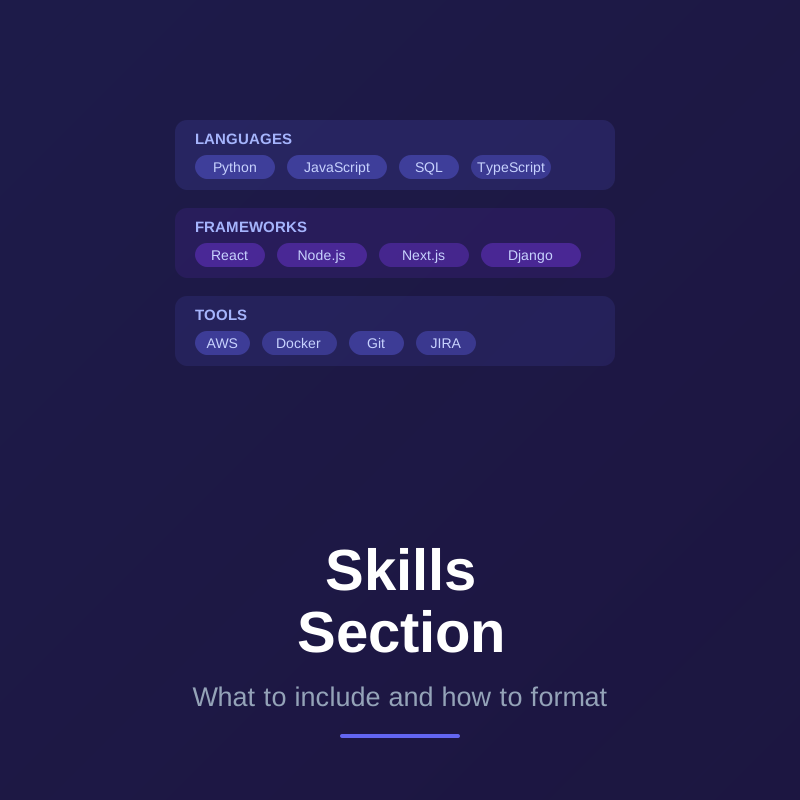
What to include: Technical skills, tools, platforms, methodologies, and languages relevant to the role you're applying for. Both hard skills and any soft skills explicitly listed in the job description.
What to skip: Skills listed only as endorsements on LinkedIn that you'd struggle to use in a job. Overly generic terms like "Microsoft Office" for most professional roles. Skills you've only briefly encountered.
ATS note: This is the highest-weight section for ATS keyword scoring. Use exact terms from the job description. A simple list or grouped list format is more ATS-reliable than a table or multi-column layout.
Recommended optional sections
Summary
What it is: 2–3 sentences at the top of your resume that position you for the specific role.
Include if: You have more than 2 years of experience and can write a genuinely targeted summary (not a generic one). A good summary improves both ATS performance and recruiter first impression.
Skip if: You're so early in your career that a summary would be filler, or if you'd write a generic one that doesn't add information.
ATS note: Your summary is scanned for keywords just like the rest of your resume. Use the job title and 2–3 core required skills in your summary.
Certifications
What to include: Active, relevant certifications with the full official name, issuing organization, and year. In-progress certifications labeled as such.
Skip: Expired certifications (or note they're expired), irrelevant certifications, casual online course completions from platforms without recognized credentials.
ATS note: Certification names are often required keywords in job descriptions. Include the full name ("Project Management Professional (PMP)") and the abbreviation so both versions are present.
Projects
What to include: Relevant personal projects, significant open-source contributions, side projects built with technologies matching the target role, or capstone/bootcamp projects.
Include if: You're entry-level (projects demonstrate ability without a long work history), changing careers (projects in the new field add credibility), or in a field where a portfolio is expected (software, design, data science, writing).
Skip if: You're a senior candidate with a strong work history — projects can actually look like padding at that level unless they're genuinely impressive.
Format: Project name, 1-line description, tech stack, 2–3 bullets on what you built or accomplished, GitHub/demo link.
Situational sections (include only when relevant)
Languages
Include if: The role has language requirements or if being multilingual is a genuine asset for the position (international roles, customer-facing roles, global companies).
Format: "Spanish (fluent), French (conversational), Dutch (native)"
Skip if: English-only in a market where that's standard. Don't pad your resume with "English (native)" in an English-language market.
Volunteer work
Include if: The volunteer experience is recent, substantial, and demonstrates skills relevant to the role. Particularly useful for early-career candidates who need more experience to show, or for career changers entering a mission-driven field.
Format: Same as work experience — organization, role, dates, 1–2 impact bullets.
Skip if: The experience is too old, too brief, or unrelated to the target role. Listing volunteer work to seem well-rounded doesn't strengthen a technical application.
Publications and research
Include if: You're in academia, research, or a field where published work is valued (scientific, medical, legal, policy roles). Also relevant for thought leadership roles where writing signals expertise.
Format: Standard citation format. For long publication lists, include a link to your full list.
Skip if: You're applying for a mainstream business or technical role where publications aren't part of the hiring criteria.
Awards and honors
Include if: The award is recent, relevant, and from a recognized institution. Academic awards (Dean's List, departmental honors), industry awards, and competitive scholarships all can belong here.
Skip if: The award is old (more than 5 years unless it's truly prestigious), vague ("Employee of the Month" without context), or from a context that won't resonate with the target employer.
Interests and hobbies
Include if: The interest is directly relevant to the role (a software engineer listing open-source contributions, a content marketer who runs a newsletter), or if the company culture explicitly values it and you've researched that they do.
Skip in most cases. A generic "reading, hiking, cooking" line wastes space that could go to professional content. Recruiters don't hire based on hobbies.
Sections to remove entirely
Objective statement (usually): Replaced by the summary. If you're early-career or changing fields, a brief objective can work — but only if it's specific to the role, not generic.
"References available upon request": Every recruiter knows they can ask. This line takes a full line of your resume without adding any information.
Photo or headshot: Irrelevant for most markets (US, UK, Canada, Australia). Some European and Asian markets include photos — know your market.
Salary expectations: Never on a resume. Negotiate separately.
Social media profiles (personal): Twitter/X, Instagram, and similar personal accounts don't belong on a resume unless you're applying for a role where your personal social presence is directly relevant (social media manager, influencer marketing).
Frequently asked questions about resume sections
Can I rename sections to be more creative? For human readers, slight variations are fine. For ATS, stick close to standard: "Work Experience" over "Career Journey," "Skills" over "What I Know." The closer to standard, the more reliably it parses.
Should I include every section even if it's sparse? No — a thin section is worse than no section. A certifications section with one irrelevant certification from 10 years ago is better left out. Every section should add something.
Is there a standard order for resume sections? The standard order works for most candidates. The main variable is where Skills and Projects fall — push them higher if they're stronger than your work experience (entry-level, career changers), lower if your work history is your strongest selling point.
Does ATS penalize unusual section names? Not always — but non-standard headings increase the risk that content gets miscategorized or missed. There's no benefit to creative section headings and a real cost if the parser misreads them.