ATS resume format: the complete formatting checklist
75% of resumes never reach a human reviewer. Most are rejected not because of weak experience, but because of formatting the ATS can't parse.
You can have perfect experience and the right keywords — and still get filtered out if your resume isn't formatted in a way the ATS can read. This guide covers every formatting rule that matters, in one place. The same rules apply to your cover letter — read our ATS cover letter guide.
Why ATS formatting is different from design formatting
A resume designed to look great to humans often fails ATS parsing. The ATS doesn't see your resume — it reads it like raw text, stripping away all visual formatting and trying to organize the content into structured fields.
When it encounters a table, a text box, a column, or a graphic, it either skips it or mangles the surrounding text. When it sees a non-standard section heading, it may miscategorize your entire work history.
Good ATS formatting isn't about making your resume look plain. It's about making the underlying structure machine-readable.
The ATS resume format checklist
Layout
- Single column only. Two-column layouts cause ATS to read across both columns at once, mixing job titles with dates and descriptions into meaningless fragments.
- No tables. Even simple tables used for layout purposes confuse parsers. Use line breaks and spacing instead.
- No text boxes. Content inside text boxes is often completely invisible to ATS systems.
- No headers or footers. Most ATS systems cannot read text placed in Word/Google Docs headers or footers. Your name and contact info must be in the main body.
- Left-aligned text. Center-aligned or right-aligned text can sometimes confuse parsing order. Left-align everything except your name if you prefer it centered.
- No graphics, icons, or images. Completely invisible to ATS. This includes skill-level bars, profile photos, company logos, and decorative dividers.
- No columns made with tabs. Tabbed columns look clean visually but are parsed as random spacing by ATS.
Fonts and text
- Use standard fonts: Arial, Calibri, Helvetica, Times New Roman, Georgia, or Garamond. Decorative or display fonts may not render correctly in all systems.
- Body text: 10–12pt. Smaller than 10pt may cause parsing issues on some systems.
- Section headers: 12–14pt or bold, to help the ATS identify section boundaries.
- No colored text. Color may not survive export to plain text, causing words to disappear.
- Minimal or no text effects. Avoid shadows, outlines, or gradient fills on text.
- Use standard bullet points. Round bullets (•) or dashes (–) are safe. Decorative bullet symbols (★, ✦, ➤) may be misread or dropped entirely.
Section headings
ATS systems identify sections by matching headings to expected labels. Non-standard headings cause content to be miscategorized or skipped.
| Use this | Not this |
|---|---|
| Work Experience | Career Journey / My Story / Professional History |
| Skills | Core Competencies / What I Know / Expertise |
| Education | Academic Background / Credentials / Where I Studied |
| Summary | Profile / About Me / Introduction |
| Certifications | Credentials / Licenses & Certifications (OK) |
| Projects | Portfolio / What I've Built |
Stick to the left column. The right column alternatives may read fine to humans but can confuse ATS parsers.
Contact information
- Place your name, phone, email, and LinkedIn URL in the main body of the resume — never in a header or footer.
- Your name should be on the first line, clearly separated from the rest of the content.
- Use a standard email format. Avoid long or unusual email addresses that could trigger spam filters.
- LinkedIn URL: use your custom URL (linkedin.com/in/yourname) rather than the full auto-generated one.
- GitHub, portfolio, or personal site URLs are fine to include in the contact block.
File format
- Default to .docx for maximum ATS compatibility. Most systems parse .docx more reliably than any other format.
- PDF is acceptable if it is text-based — created directly from Word or Google Docs. Never submit a PDF exported from a design tool (Canva, Figma, Adobe InDesign, Photoshop). These save as image-based PDFs that ATS cannot read at all.
- Never use .pages, .odt, or image files (.jpg, .png, .pdf scans).
How to check if your PDF is text-based: Open the file, click on the text, and try to drag to select individual words. If you can highlight words, it's text-based and ATS-readable. If clicking selects the entire page as one block, it's an image and will fail parsing.
Dates and formatting consistency
- Use a consistent date format throughout: either
Jan 2022 – Mar 2024or01/2022 – 03/2024. Don't mix formats. - Include both month and year for all positions. Year-only dates look like you're hiding short stints, and some ATS systems flag them.
- For your current role, use
Presentas the end date:Jan 2023 – Present.
Length
- One page for candidates with under 10 years of experience.
- Two pages maximum for senior candidates with extensive relevant experience.
- Page length doesn't directly affect ATS scoring, but a tightly focused resume tends to have better keyword density.
What ATS actually reads from a two-column resume
Two-column layouts look polished to humans but are parsed as nonsense by most ATS systems. The parser reads left-to-right across the full page width — it has no concept of column boundaries.
Here's a simplified example of a typical two-column resume and what the ATS actually extracts:
What the resume looks like to a human:
Jane Smith                    |  Skills
jane@email.com                |  Python, SQL, Tableau
                              |
Senior Data Analyst           |  Education
Acme Corp | 2021–Present      |  BSc Statistics, 2019
- Built ETL pipelines...      |
What the ATS reads:
Jane Smith Skills jane@email.com Python, SQL, Tableau Senior Data Analyst Education Acme Corp 2021–Present BSc Statistics 2019 Built ETL pipelines...
The parser has merged the left and right columns into a single stream of text. The job title, employer, and dates are scrambled together with the education block. The ATS may fail to recognize "Senior Data Analyst" as a job title at all.
This is why single-column layout is not just a preference — it's the difference between your experience being parsed correctly or being miscategorized.
What an ATS-friendly resume looks like vs. what it doesn't
ATS-unfriendly (common template design):
- Two columns: contact and skills on the left, experience on the right
- Section titles in a colored sidebar
- Photo in the top left
- Skill proficiency bars
- Name in the header element of the document
ATS-friendly:
- Single column, top to bottom
- Name and contact info as regular body text at the top
- Bold section headings using standard labels
- Bullet points for experience entries
- No graphics of any kind
The ATS-friendly version looks simpler. It also gets read correctly, which is the only thing that matters at this stage.
Sections to always include (in this order)
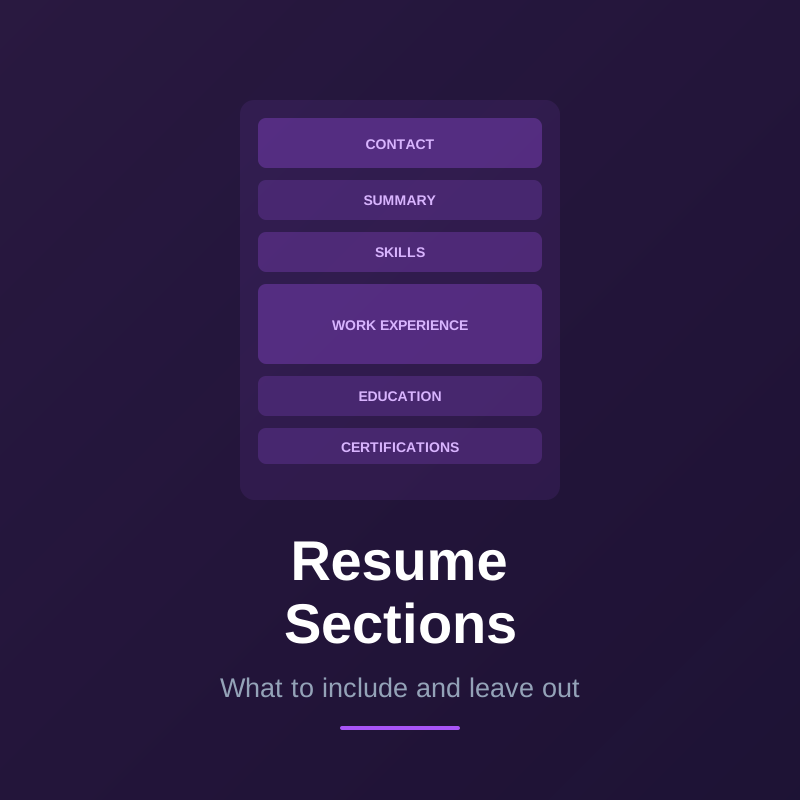
- Contact information — name, phone, email, LinkedIn, GitHub (if relevant)
- Summary (optional but recommended) — 2–3 sentences targeting the specific role
- Skills — a scannable list of technical skills and tools, using exact terms from the job description
- Work Experience — reverse chronological, with bullet points per role
- Education — school, degree, graduation year
- Certifications (if relevant) — exact certification names, issuing body, year
Optional sections: Projects, Publications, Volunteer Work, Languages. These are fine to include if relevant, but use standard headings.
Sections that hurt more than they help
Objective statements: Unless you're an entry-level candidate or changing careers, skip it. The space is better used for a tailored summary or expanded experience.
References available upon request: Remove it. It takes space without adding value. Employers know they can ask.
Hobbies and interests: Unless the role specifically values them (community manager, nonprofit work) or they're directly relevant, leave them out. ATS ignores them; most human readers do too.
High school education: If you have a university degree, remove your high school entry. It signals inexperience and takes up space that could be used for more relevant content.
Before you submit: the quick ATS format check
Run through this list before every application:
- Single-column layout with no tables or text boxes
- Name and contact info in the main body, not in a header/footer
- Standard section headings (Work Experience, Skills, Education)
- Standard font at 10–12pt body size
- No graphics, icons, images, or skill bars
- Consistent date format throughout
- File saved as .docx or text-based PDF
- Keywords from the job description present in skills and experience sections
ATS Resume Format Checklist
Use this checklist before every application to confirm your resume will parse correctly:
- Single-column layout (no multi-column)
- Standard fonts only: Arial, Calibri, Times New Roman, or Garamond
- Font size 10–12pt for body text
- No text boxes, tables, or graphics
- No headers or footers with important content
- Standard section headings: Work Experience, Education, Skills
- Saved as .docx or text-based PDF
- No images, logos, or icons
- Keywords mirror the job description
- Contact info in the main body (not in header/footer)
Frequently asked questions about ATS resume format
Does ATS care about the order of sections? The order matters less than the headings. ATS systems identify sections by their labels, not their position. However, having your most relevant content near the top of the resume improves human readability after the ATS pass.
Can I use bold and italic text in an ATS resume? Yes — standard formatting like bold and italic is safe. Use bold for section headings and key terms. Avoid overusing it, which makes it meaningless.
Is a simple ATS resume boring to human readers? Not if the content is strong. A clean, well-structured resume with great bullet points and quantified achievements is far more impressive than a visually fancy resume with weak content. Hiring managers have seen every template — they care about what you've done, not the design.
Does ATS formatting matter for LinkedIn applications? LinkedIn has its own parsing system that works differently from traditional ATS. However, when you upload a resume directly through LinkedIn, the same ATS formatting rules apply. Optimizing for standard ATS covers both cases.
Should I have different resume versions for ATS and humans? Ideally no — a well-formatted ATS resume should also read clearly to humans. If your recruiter-facing version requires heavy design changes, that's a sign the ATS version isn't designed well enough to stand on its own.