5 ATS formatting mistakes that get your resume rejected
Related: ATS resume format checklist
Even highly qualified candidates get filtered out by simple ATS formatting errors that are easy to avoid once you know what they are.
Most resume advice focuses on what to write. But before the content even matters, your resume needs to survive the ATS parsing stage. If the system can't read your resume correctly, it doesn't matter how strong your experience is.
Here are the five most common ATS formatting mistakes — and exactly how to fix each one.
ATS formatting mistake 1: putting important information in headers or footers
Many people put their name and contact information in the header or footer because it looks clean and professional. Unfortunately, most ATS systems cannot read text in headers and footers at all — which means your contact information might be completely invisible to the system.
Why it happens: Word and Google Docs make it easy to create headers, and they look polished. Designers and templates often default to this layout.
What ATS sees: An unnamed resume with no contact details. Some systems assign it a generic placeholder; others simply fail to process it correctly.
The fix: Place all critical information — your name, phone number, email, and LinkedIn URL — in the main body of your resume at the very top of the first page, just like regular text.
ATS formatting mistake 2: creative layouts that confuse the parser
Tables, text boxes, columns, and creative designs might look impressive to a human, but they create chaos for ATS software. The system reads content in linear order — left to right, top to bottom — without understanding visual layout.
A two-column resume gets read like this: the ATS reads across both columns simultaneously, mixing your job title from the left column with your education dates from the right column into incomprehensible text fragments.
Graphics, logos, and images are completely invisible. That sleek infographic showing your skill proficiency levels? The system sees nothing. The skill bars, the profile photo, the decorative icon — all gone.
The fix: Use a simple, single-column layout with clearly labeled sections. Stick to standard formatting using line breaks and bullet points. Save visual creativity for your portfolio or personal website.
Before (multi-column, parsed incorrectly):
Senior Engineer | React, TypeScript | 2020–Present Acme Corp | 5 years experience | Bachelor's CS...
After (single-column, parsed correctly):
Senior Frontend Engineer — Acme Corp (2020–Present) Built React and TypeScript applications...
ATS formatting mistake 3: non-standard section headings
When you label your work history as "Career Journey" or "My Story" instead of "Work Experience," you might confuse the ATS parser. These systems look for standard section names to categorize your information properly.
If the system can't identify what section it's reading, it may miscategorize your content or skip it entirely — meaning years of relevant experience simply don't get scored.
Common non-standard headings and their ATS-safe replacements:
| What you might write | What ATS expects |
|---|---|
| Career Journey | Work Experience |
| My Story | Summary or Profile |
| Core Competencies | Skills |
| Academic Background | Education |
| Credentials | Certifications |
| What I've Built | Projects |
The fix: Use conventional headings like Work Experience, Education, Skills, and Certifications. The ATS is programmed to recognize these terms and will parse your information correctly.
ATS formatting mistake 4: missing keywords from the job description
This is the most common reason qualified candidates get low ATS scores. The system compares your resume against keywords from the job description — if the words don't match, even genuinely relevant experience gets a low score.
The trap people fall into: paraphrasing. You write "managed cross-functional projects" when the job says "program management." You write "collaborated with stakeholders" when the posting says "stakeholder management." To a human, these mean the same thing. To an ATS, they may not match.
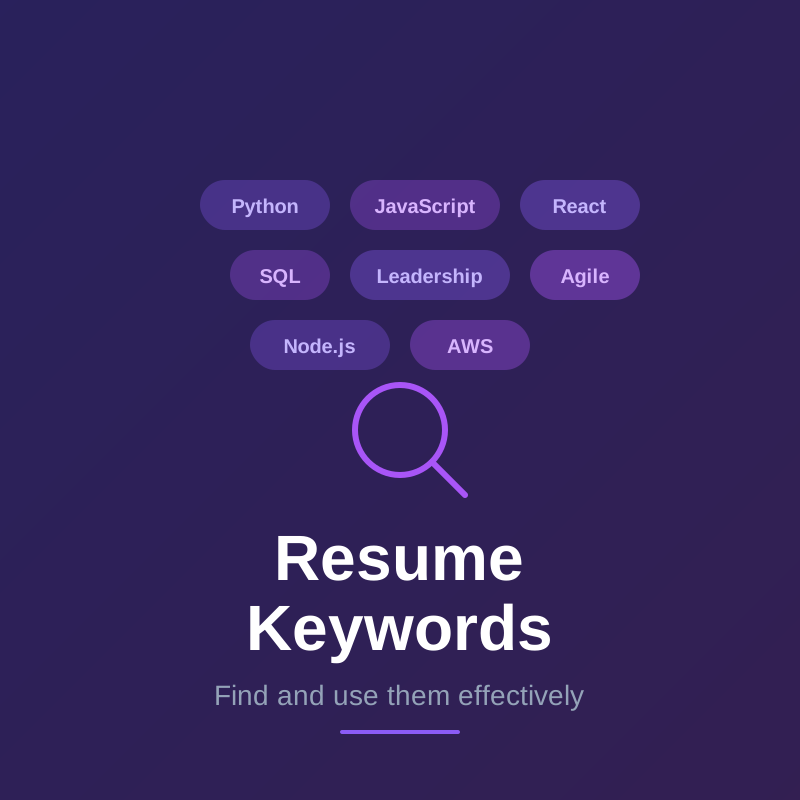
The fix: Mirror the exact language used in the job description. If they say "customer relationship management," use those exact words rather than "client relations." If they list "SQL" and "Python" as separate requirements, list them separately in your skills section.
Create a dedicated skills section that lists your competencies clearly, using terms straight from the posting.
Before (paraphrased — low ATS score):
Skills: coding, web apps, cloud systems, team projects, data pipelines
After (mirrored — high ATS score):
Skills: JavaScript, React, AWS, Agile, ETL pipelines, cross-functional collaboration
ATS formatting mistake 5: using the wrong file format
Some ATS systems struggle with certain file formats. While PDFs preserve formatting for human readers, older ATS software sometimes has trouble parsing them. Conversely, .docx files are more universally readable by ATS but might display differently across devices.
The worst case: a resume created in a design tool like Canva, Adobe InDesign, or Photoshop. These tools often export PDFs as images — essentially a photograph of text — which ATS systems cannot read at all. Your entire resume appears as a blank document.
The fix: When in doubt, submit as .docx for maximum ATS compatibility. If the job posting specifically requests a PDF, use a text-based PDF created directly from Word or Google Docs. Never submit a PDF exported from a design tool unless you've verified it contains selectable text.
Quick test: Open your PDF, try to click and select text on the page. If you can highlight individual words, it's text-based. If clicking selects the whole page as one image, it's an image-based PDF and will fail ATS parsing.
Three more ATS formatting mistakes worth knowing
Using special characters in section titles: Symbols like ★, →, or ✓ in section headings may cause the ATS to fail to recognize the section. Stick to plain text for all headings.
Inconsistent abbreviations: If you list "JavaScript (JS)" in one place and "JS" alone in another, some ATS systems may count them separately or miss one entirely. Be consistent: either always use the full name, always use the abbreviation, or write it out once with the abbreviation in parentheses.
Listing skills only as images or rating bars: Infographic-style skill ratings are completely invisible to ATS. Always list your skills as plain text, even if you also include a visual element for human readers.
What does your ATS score mean?
Your ATS score (also called an ATS match score, ATS ranking, or resume score) is a measure of how well your resume matches the keywords and requirements in a specific job description. It's typically expressed as a percentage.
Here's what different ATS score ranges generally mean:
| ATS score | What it means |
|---|---|
| 80%+ | Strong match — highly likely to reach human review |
| 70–80% | Competitive — passes most ATS thresholds |
| 50–70% | Below average — may pass for low-volume or less competitive roles |
| Below 50% | Unlikely to reach human review for competitive positions |
Important: ATS scores are relative, not absolute. A 72% score might be strong if most applicants are scoring 40–55%, or weak if the competitive pool averages 85%. The score is a guide, not a guarantee of rejection or acceptance.
How to improve a low ATS score:
- Add missing keywords from the job description to your skills section and work experience bullets
- Use exact terminology from the posting — don't paraphrase (the ATS may not recognize synonyms)
- Make sure your most critical skills appear in both your skills section and your experience bullets
- Fix formatting that prevents the ATS from reading your content (tables, text boxes, headers/footers, image-based PDFs)
The score tells you where to focus your edits — not whether you're qualified. A highly qualified candidate with a poorly formatted resume can score lower than a less qualified candidate with a well-optimized one.
How to catch these ATS formatting mistakes before you apply
The frustrating thing about ATS rejection is that you often never know it happened. Your resume simply disappears with no feedback.
The solution is to test your resume against the actual job description before submitting. When you can see exactly how an ATS will score your resume and identify specific issues — missing keywords, formatting problems, miscategorized sections — you can fix them proactively.
Real-time feedback while building your resume means you'll never wonder if a silent technical error is costing you interviews.
How to fix a low ATS score
If you've tested your resume and found a low ATS match score, here's how to fix it systematically — without rewriting your entire resume.
Step 1: Identify the missing keywords Compare the job description's requirements section against your resume line by line. Make a list of every required skill, tool, or qualification that doesn't appear verbatim in your resume.
Step 2: Add missing keywords you actually have For each gap where you genuinely have the skill, add it to your resume. The fastest places:
- Skills section (add the exact term)
- A relevant work experience bullet (incorporate it naturally into an accomplishment)
- Your summary (for 1–2 of the most critical missing terms)
Don't add skills you don't have. If you're missing 3 out of 15 requirements, you can still have a competitive application.
Step 3: Fix paraphrasing Replace synonyms with exact terms. Common examples:
| What you wrote | What the job says — fix it to |
|---|---|
| "container orchestration" | "Kubernetes" |
| "unit testing" | "Jest" or "PyTest" (whichever they named) |
| "cloud infrastructure" | "AWS" or "GCP" (whichever they listed) |
| "client communication" | "stakeholder management" |
| "coding" | "Python" / "JavaScript" (specific language) |
Step 4: Fix formatting that blocks parsing A keyword-rich resume still scores poorly if the ATS can't read it. Check for:
- Tables or text boxes hiding skills or experience (convert to plain text)
- Headers/footers containing your name or contact info (move to the main body)
- Multi-column layout (convert to single column)
- Image-based PDF (recreate as text-based)
Step 5: Retest After making changes, re-run the comparison against the job description. A 10–15 percentage point improvement is typical after addressing the most common issues.
Realistic expectations: If your score is 40% and the role requires skills you genuinely don't have, tailoring isn't the fix — role fit is the issue. Focus tailoring effort on roles where you meet 70%+ of requirements.
Frequently asked questions about ATS formatting
Does ATS reject resumes automatically? In most cases, ATS doesn't reject outright — it ranks candidates by score. Low-scoring resumes fall to the bottom of the pile and are rarely reviewed. The practical effect is the same as rejection, but the mechanism is ranking rather than a binary pass/fail.
Is a one-page resume better for ATS? Page length doesn't directly affect ATS scoring. What matters is content quality and keyword coverage. However, a one-page resume forces you to be concise and relevant, which tends to improve keyword density. For candidates with under 10 years of experience, one page is usually the right call.
Can ATS read LinkedIn profiles? Some platforms let recruiters import LinkedIn profiles into their ATS. The same principles apply: clear section structure, keyword-rich content, and no formatting elements that can't be parsed as text.
Do ATS systems care about font choice? Unusual or decorative fonts may not render correctly in all ATS systems. Stick to standard fonts: Arial, Calibri, Helvetica, Times New Roman, or Georgia. Font size should be 10–12pt for body text.