Chronological vs functional vs hybrid resume: which format should you use?
Over 90% of hiring managers prefer the chronological resume format. But that doesn't mean it's right for everyone. Understanding when to deviate — and when not to — is one of the most important resume decisions you'll make.
Resume format is not just a design choice. It determines what the reader sees first, how ATS parses your content, and whether your strongest qualifications surface or get buried. Getting it wrong can sink an otherwise strong resume.
This guide explains all three formats, when each works, and which ATS systems prefer.
The three resume formats at a glance
| Format | What it leads with | Best for | ATS compatibility |
|---|---|---|---|
| Chronological | Work history in reverse date order | Most candidates with steady experience | Excellent |
| Functional | Skills and competencies, minimal dates | Career changers, gaps (rarely effective) | Poor |
| Hybrid / Combination | Skills summary + full work history | Career changers, senior candidates, gaps | Good |
Format 1: Chronological resume
The chronological resume (more accurately called "reverse-chronological") lists your most recent job first and works backwards. It's the default format and the one almost every recruiter expects to see.
Structure:
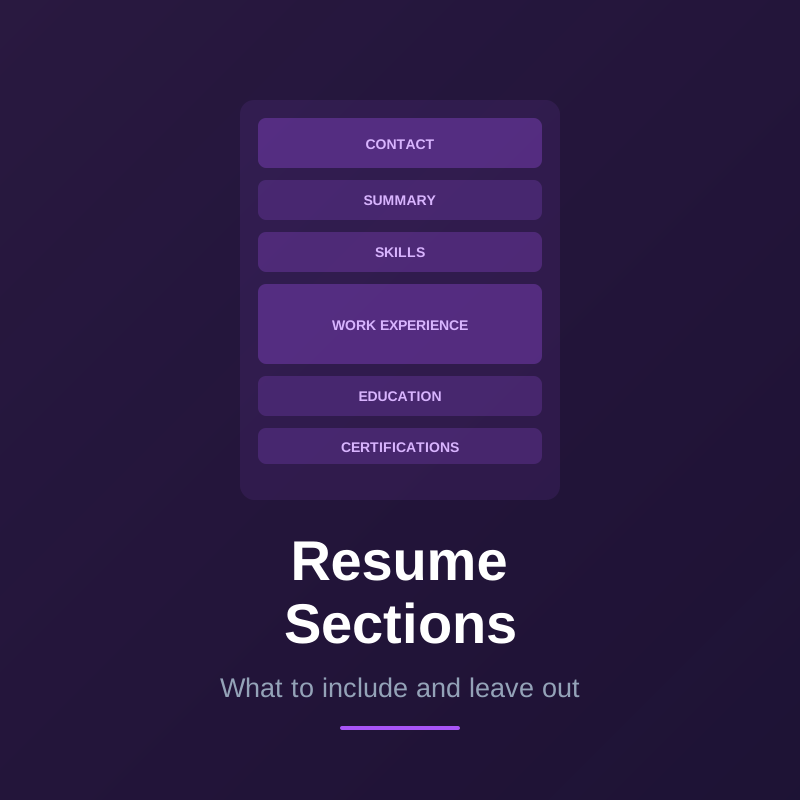
- Contact info
- Summary
- Work experience (most recent first)
- Education
- Skills
Why it works:
- Easy to scan — hiring managers know exactly where to look
- ATS systems are optimised to parse this layout
- Shows career progression at a glance
- Signals nothing to hide
Best for:
- Candidates with a consistent work history in one field
- People with clear upward career progression
- Anyone applying for a role similar to their current or most recent job
- Most candidates in most situations
When it doesn't work:
- You have significant employment gaps you'd rather not lead with
- You're switching fields and your recent job titles are irrelevant
- You're returning to an earlier career after a detour
Format 2: Functional resume
The functional resume groups your experience by skill or competency area rather than by job and date. Work history is either minimal or listed at the bottom without detail.
Structure:
- Contact info
- Summary
- Skills / competency areas (with bullet points under each)
- Work history (just titles, employers, dates — no bullets)
- Education
The appeal: On paper, this format sounds useful for people with gaps, career changers, or those re-entering the workforce. It lets you lead with what you can do instead of when you did it.
The reality:
Functional resumes have two serious problems:
-
ATS systems parse them poorly. Most ATS software expects experience bullets tied to a specific employer and date. When skills float free of context, the system either misattributes them or drops them entirely.
-
Recruiters distrust them. When an experienced recruiter sees a functional resume, the first thought is usually: "What is this person hiding?" The format is so associated with covering gaps, questionable experience, or misrepresented credentials that many hiring managers reject it on sight.
The verdict: Avoid the functional format for almost every situation. The problems it's meant to solve are better handled by the hybrid format.
Format 3: Hybrid / Combination resume
The hybrid (or combination) resume blends the best of both formats: a prominent skills or qualifications summary at the top, followed by a full reverse-chronological work history. You lead with your strengths while still providing the employment timeline recruiters and ATS need.
Structure:
- Contact info
- Summary + key skills or qualifications block
- Work experience (reverse chronological, with full bullets)
- Education
- Certifications / additional skills
Why it works:
- Lets career changers or returning workers lead with transferable skills before the reader reaches potentially distracting job titles
- Gives ATS all the structured employment data it needs (company, dates, bullets)
- Works well for senior candidates whose career trajectory is long but the recent highlights are most relevant
- More flexible than pure chronological without the trust problem of functional
Best for:
- Career changers (put relevant skills front and centre before the work history shows a different field)
- Candidates returning after an employment gap (lead with what you've kept sharp)
- Senior or executive candidates with 15+ years who need to curate highlights
- Anyone whose most relevant skills don't appear in their most recent job
Which format does ATS prefer?
ATS systems are built around the assumption that resumes are chronological. They look for:
- An employer name tied to a date range
- Job title tied to that employer
- Bullet points tied to that job
When those elements are present (chronological or hybrid), ATS parses well. When they're missing or rearranged (functional), the system often fails to extract meaningful data, which results in an incomplete or low-scored profile.
Rule of thumb: If you're applying to any company that uses an ATS (which is most companies with more than 50 employees), use chronological or hybrid. Never submit a functional resume through an online application system.
How to choose the right format for your situation
Use chronological if:
- You have a consistent career history with no major gaps
- Your most recent role is relevant to the job you're applying for
- You're applying within the same industry or function
Use hybrid if:
- You're changing careers and your job titles don't reflect your transferable skills
- You have a notable employment gap in the last 5 years
- You're a senior candidate with a long career and want to surface the most relevant highlights first
- Your skills section is substantial and deserves prominent placement (technical roles, trades, healthcare)
Avoid functional if:
- You're applying through any online system (virtually all corporate employers)
- You care about getting past ATS
- You're applying to any role where the hiring manager will google your name or check LinkedIn — the mismatch will be obvious
What about other formats?
A few specialised formats exist outside these three:
- Targeted resume: A chronological or hybrid resume customised heavily for one specific role. Not a different format — just a well-tailored standard resume. This is always a good idea.
- Academic CV: A document for academic, research, or scientific roles that is not a resume. Much longer (5–20+ pages), includes publications, presentations, grants, and teaching. Use this only for academic positions.
- Federal resume: Required for US government jobs through USAJOBS. Much longer and more detailed than a standard resume, following specific federal format requirements.
- Infographic resume: Heavily designed with charts and graphics. Generally ATS-incompatible and rarely used successfully. Avoid for anything going through an online application.
Formatting rules that apply to all three formats
Regardless of which format you use:
- File type: PDF unless the application explicitly requests Word (.docx). PDF preserves formatting; Word files can render differently across systems.
- Length: One page for under 8–10 years of experience. Two pages for senior roles. Never pad to fill pages.
- Fonts: Clean, standard fonts: Calibri, Garamond, Georgia, Helvetica, Arial. 10–12pt for body text, 14–16pt for your name.
- Margins: 0.5–1 inch. Narrower than 0.5 looks cramped; wider wastes space.
- Columns: Single-column layouts are safest for ATS. Two-column designs can cause ATS misreading, especially for text in sidebars.
- Headers: Use standard section names (Work Experience, Education, Skills) rather than creative alternatives (My Journey, What I Bring). ATS systems look for standard labels.
- Tables and graphics: Avoid. ATS systems typically can't read text inside tables or images.
Frequently asked questions about resume formats
Is it ever okay to use a functional resume? Almost never for standard job applications. The only situations where it might make sense are hand-delivered applications to small businesses that don't use ATS, or portfolio-based applications where the format is a creative choice rather than a concealment strategy.
What's the difference between a resume and a CV? In the US, a resume is a 1–2 page targeted document for job applications. A CV (curriculum vitae) is a comprehensive academic or research document with no length limit. Outside the US, "CV" is often used to mean what Americans call a resume. Context matters.
Should I use the same format for every application? Use the same base format, but tailor the content for each application. If you're a career changer, the hybrid format will likely serve you better than chronological across all your applications — not just some.
My resume looks sparse in chronological format. Should I switch to functional? No — switch to hybrid, or spend time expanding what you have. Add coursework, projects, volunteer work, and relevant skills. A sparse hybrid resume is better than a functional resume of any length.